Cisco Room - Bedienungsanleitung
Telefon Cisco Room – Bedienungsanleitung, kostenlos online im PDF-Format lesen. Wir hoffen, dass dies Ihnen hilft, etwaige Fragen zu klären. Wenn Sie noch Fragen haben, kontaktieren Sie uns bitte über das Kontaktformular.
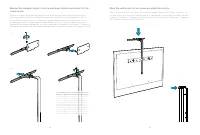
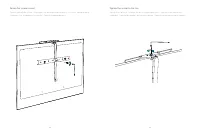
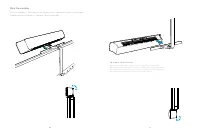
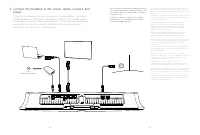
Inhalt:
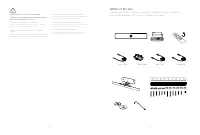
- Seite 3 – What’s in the box; Descripción general de los pasos / Conteúdo da caixa
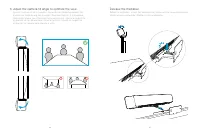
- Seite 4 – Steps overview; Descripción general de los pasos / Descrição geral dos passos; Ligue os cabos; Adjust camera angle; Ajuste do ângulo de inclinação da câmara; Mounting recommendations; Recomendaciones de montaje / Recomendações de montagem
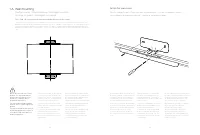
- Seite 5 – Fije el soporte de montaje en pared. / Apertar o suporte de parede.
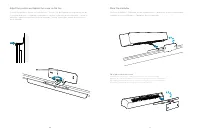
- Seite 6 – Adjust the position and tighten the screw on the top.
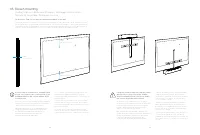
- Seite 7 – Soporte de la pantalla / Montagem no ecrã
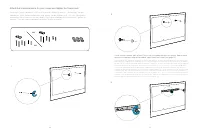
- Seite 8 – tuercas. / Instale a peça horizontal no ecrã e aperte as porcas.; ii
- Seite 9 – Place the vertical part on the screen and adjust the position.; peça vertical no ecrã e ajuste a posição.
- Seite 12 – power; Connectez la mediabar à l’écran,
- Seite 13 – Adjust the camera tilt angle to optimize the view; inclinação da câmara para otimizar a vista; Release the mediabar; Retire la barra multimedia / Retirar a barra multimédia
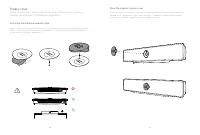
- Seite 14 – Privacy cover; Cubierta de privacidad / Cobertura de privacidade; Instale a placa magnética autoadesiva.; Place the magnetic privacy cover.
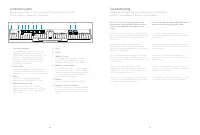
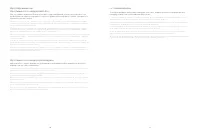
- Seite 15 – Connector panel; Panneau de connexion / Anschlussfeld / Pannello del connettore /; Troubleshooting; Solución de problemas / Solução de problemas
Cisco Webex
Room USB
FR
Guide d’installation
DE Installationshandbuch
IT
Guida per l’installazione
ES
Guía de instalación
PT
Manual de Instalação
Installation Guide
„Anleitung wird geladen“ bedeutet, dass Sie warten müssen, bis die Datei vollständig geladen ist und Sie sie online lesen können. Einige Anleitungen sind sehr groß, und die Zeit, bis sie angezeigt wird, hängt von Ihrer Internetgeschwindigkeit ab.
War diese Anleitung hilfreich?
Über diese Anleitung
- Marke
- Cisco
- Modell
- Room
- Dokumenttyp
- Bedienungsanleitung
- Kategorie
- Telefon
- Sprache(n)
- Deutsch, Englisch, Spanisch, Französisch, Italienisch, Dutch, Polnisch, Russisch, Swedish
- Seiten
- 17
- Dateigröße
- 3,5 MB
- Format
Zusammenfassung
4 5 WARNING Do not to cover the mediabar To prevent overheating, the mediabar should not be covered or placed in a niche. ATTENTION à ne pas couvrir la mediabar Pour éviter toute surchauffe, la mediabar ne doit pas être couverte ou placée dans une alcôve. WARNUNG: Die Medienleiste darf nicht verdeck...
6 7 Steps overview Présentation des étapes / Überblick – Arbeitsschritte / Procedura generale / Descripción general de los pasos / Descrição geral dos passos 1. Select mounting option Sélectionnez l’option de montage / Montageoption auswählen / Seleziona l’opzione di montaggio / Seleccionar opción d...
8 9 1 A. Wall mounting Fixation murale / Wandhalterung / Montaggio a parete / Montaje en pared / Montagem na parede Due to the size and mass of this product, it is important that the wall-mounted system is safely installed according to these installation instructions. The wall and mounting hardware ...


