Dell Inspiron 14 (N4050, Mid 2011) - Bedienungsanleitung
-User-Manual/webp/1.webp)
Dell Inspiron 14 (N4050, Mid 2011) – Bedienungsanleitung, kostenlos online im PDF-Format lesen. Wir hoffen, dass dies Ihnen hilft, etwaige Fragen zu klären. Wenn Sie noch Fragen haben, kontaktieren Sie uns bitte über das Kontaktformular.
-User-Manual/webp/2.webp)
Quick Start
Snelstartgids | Démarrage rapide
Início rápido | Guía de inicio rápido
Uniquely Dell
support.dell.com/manuals | www.dell.com
Printed in USA
Connect the network cable (optional)
Sluit de netwerkkabel aan (optioneel) | Branchez le câble réseau (facultatif)
Conecte o cabo de rede (opcional) | Conecte el cable de red (opcional)
Locate the service tag
Zoek het servicelabel | Recherchez le numéro de série
Localize a etiqueta de serviço | Ubique la etiqueta de servicio
Información para NOM, o Norma
Oficial Mexicana
(sólo para México)
La información que se proporciona a continuación
aparecerá en el dispositivo que se describe en este
documento, en conformidad con los requisitos de la
Norma Oficial Mexicana (NOM):
Importador:
Dell México S.A. de C.V.
Paseo de la Reforma 2620 - Piso 11°
Col. Lomas Altas
11950 México, D.F.
Número de modelo reglamentario: P22G
Voltaje de entrada: 100 a 240 VCA
Corriente de entrada (máxima): 1,5 A/1,6 A/1,7 A
Frecuencia de entrada: 50 a 60 Hz
Corriente nominal de salida: 3,34 A/4,62 A
Voltaje nominal de salida: 19,5 VCC
Para obtener información detallada, lea la información
sobre seguridad que se envió con el equipo. Para
obtener información adicional sobre prácticas
recomendadas de seguridad, visite
dell.com/regulatory_compliance
.
More Information
• To learn about the features and advanced options
available on your laptop, click
Start
→
All Programs
→
Dell Help Documentation
or go to
support.dell.com/manuals
.
• To contact Dell for sales, tech support, or customer
service issues, go to
dell.com/ContactDell
. Customers
in the United States, can call 800-WWW-DELL
(800-999-3355).
Information in this document is subject to change without notice.
© 2011 Dell Inc. All rights reserved.
Trademarks used in this text: Dell™, the DELL logo, and Inspiron™
are trademarks of Dell Inc.
2011–03
Regulatory model: P22G
Regulatory type: P22G001 and P22G002
Computer model: Dell Inspiron M4040/14-N4050
Turn on wireless (optional)
Draadloze functies inschakelen (optioneel) | Activez la fonctionnalité sans fil (facultatif)
Ativar wireless (opcional) | Activar la función inalámbrica (opcional)
Connect the power cable
Sluit de stroomkabel aan | Branchez le câble d’alimentation
Conecte o cabo de alimentação | Conecte el cable de alimentación
Press the power button
Druk op de aan/uit-knop | Appuyez sur le bouton d’alimentation
Pressione o botão liga/desliga | Presione el botón de encendido
„Anleitung wird geladen“ bedeutet, dass Sie warten müssen, bis die Datei vollständig geladen ist und Sie sie online lesen können. Einige Anleitungen sind sehr groß, und die Zeit, bis sie angezeigt wird, hängt von Ihrer Internetgeschwindigkeit ab.
War diese Anleitung hilfreich?
Über diese Anleitung
- Marke
- Dell
- Modell
- Inspiron 14 (N4050, Mid 2011)
- Dokumenttyp
- Bedienungsanleitung
- Sprache(n)
- Deutsch, Englisch, Spanisch, Französisch, Italienisch, Dutch, Polnisch, Russisch, Swedish
- Dateigröße
- 259,6 KB
- Format
Frage stellen
Ähnliche Anleitungen
Weitere Dell Andere Modelle
-User-Manual/webp/1.webp) Dell Inspiron 14 (3420, Mid 2012) Bedienungsanleitung
Dell Inspiron 14 (3420, Mid 2012) Bedienungsanleitung-User-Manual/webp/1.webp) Dell Inspiron 14 (3421, Early 2013) Bedienungsanleitung
Dell Inspiron 14 (3421, Early 2013) Bedienungsanleitung-User-Manual/webp/1.webp) Dell Inspiron 14 (3437, Mid 2013) Bedienungsanleitung
Dell Inspiron 14 (3437, Mid 2013) Bedienungsanleitung-User-Manual/webp/1.webp) Dell Inspiron 14 (3443, Early 2015) Bedienungsanleitung
Dell Inspiron 14 (3443, Early 2015) Bedienungsanleitung-User-Manual/webp/1.webp) Dell Inspiron 14 (7437, Late 2013) Bedienungsanleitung
Dell Inspiron 14 (7437, Late 2013) Bedienungsanleitung-User-Manual/webp/1.webp) Dell Inspiron 14 (M4040, Mid 2011) Bedienungsanleitung
Dell Inspiron 14 (M4040, Mid 2011) Bedienungsanleitung-User-Manual/webp/1.webp) Dell Inspiron 14R (5420, Mid 2012) Bedienungsanleitung
Dell Inspiron 14R (5420, Mid 2012) Bedienungsanleitung-User-Manual/webp/1.webp) Dell Inspiron 14R (5421, Early 2013) Bedienungsanleitung
Dell Inspiron 14R (5421, Early 2013) Bedienungsanleitung-User-Manual/webp/1.webp) Dell Inspiron 14z (1470, Mid 2009) Bedienungsanleitung
Dell Inspiron 14z (1470, Mid 2009) Bedienungsanleitung-User-Manual/webp/1.webp) Dell Inspiron 14z (5423, Mid 2012) Bedienungsanleitung
Dell Inspiron 14z (5423, Mid 2012) Bedienungsanleitung-User-Manual/webp/1.webp) Dell Inspiron 15 (3520, Mid 2012) Bedienungsanleitung
Dell Inspiron 15 (3520, Mid 2012) Bedienungsanleitung-User-Manual/webp/1.webp) Dell Inspiron 15 (3531, Mid 2014) Bedienungsanleitung
Dell Inspiron 15 (3531, Mid 2014) Bedienungsanleitung-User-Manual/webp/1.webp) Dell Inspiron 15 (3541, Mid 2014) Bedienungsanleitung
Dell Inspiron 15 (3541, Mid 2014) Bedienungsanleitung-User-Manual/webp/1.webp) Dell Inspiron 15 (5543, Early 2015) Bedienungsanleitung
Dell Inspiron 15 (5543, Early 2015) Bedienungsanleitung-User-Manual/webp/1.webp) Dell Inspiron 15 (5548, Early 2015) Bedienungsanleitung
Dell Inspiron 15 (5548, Early 2015) Bedienungsanleitung-User-Manual/webp/1.webp) Dell Inspiron 15 (N5050, Late 2011) Bedienungsanleitung
Dell Inspiron 15 (N5050, Late 2011) Bedienungsanleitung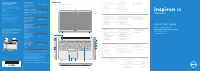 Dell Inspiron 15 7537 Bedienungsanleitung
-User-Manual/webp/1.webp) Dell Inspiron 15R (5520, Mid 2012) Bedienungsanleitung
Dell Inspiron 15R (5520, Mid 2012) Bedienungsanleitung-User-Manual/webp/1.webp) Dell Inspiron 15R (5521, Late 2012) Bedienungsanleitung
Dell Inspiron 15R (5521, Late 2012) Bedienungsanleitung-User-Manual/webp/1.webp) Dell Inspiron 15R SE (7520, Mid 2010) Bedienungsanleitung
Dell Inspiron 15R SE (7520, Mid 2010) Bedienungsanleitung