Sharkoon Light2 200 - Bedienungsanleitung
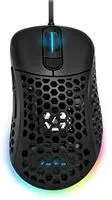
Computer-Maus Sharkoon Light2 200 – Bedienungsanleitung, kostenlos online im PDF-Format lesen. Wir hoffen, dass dies Ihnen hilft, etwaige Fragen zu klären. Wenn Sie noch Fragen haben, kontaktieren Sie uns bitte über das Kontaktformular.
Inhalt:
- Seite 2 – Overview
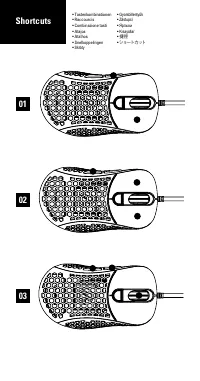
- Seite 3 – Shortcuts
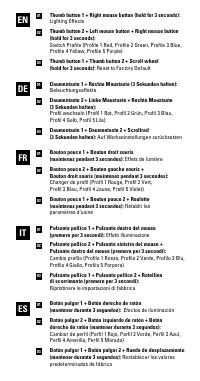
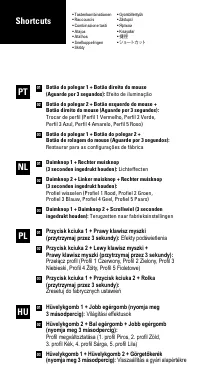
- Seite 5 – Botão do polegar 1 + Botão direito do mouse; Botão do polegar 2 + Botão esquerdo do mouse +; Duimknop 1 + Rechter muisknop; Duimknop 2 + Linker muisknop + Rechter muisknop; Efekty podświetlenia
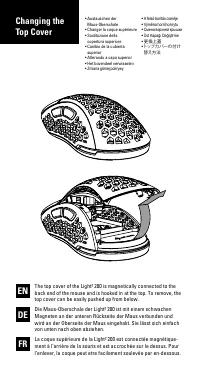
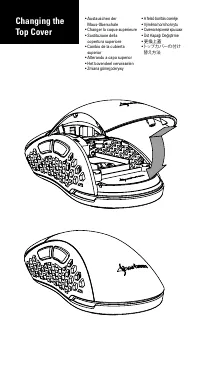
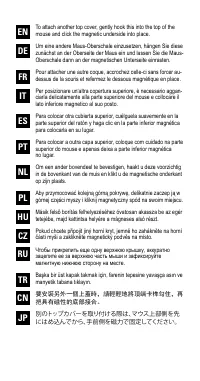
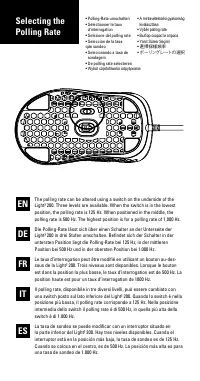
- Seite 8 – mouse and click the magnetic underside into place.
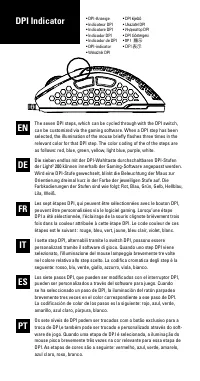
- Seite 10 – DPI Indicator
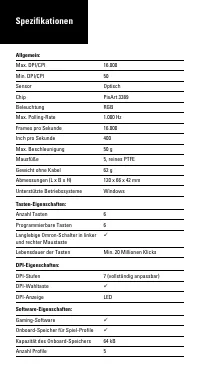
- Seite 12 – Spezifikationen
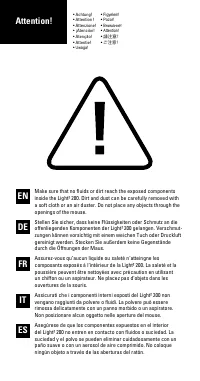
Attention!
Make sure that no fluids or dirt reach the exposed components
inside the Light² 200. Dirt and dust can be carefully removed with
a soft cloth or an air duster. Do not place any objects through the
openings of the mouse.
Stellen Sie sicher, dass keine Flüssigkeiten oder Schmutz an die
offenliegenden Komponenten der Light² 200 gelangen. Verschmut-
zungen können vorsichtig mit einem weichen Tuch oder Druckluft
gereinigt werden. Stecken Sie außerdem keine Gegenstände
durch die Öffnungen der Maus.
Assurez-vous qu‘aucun liquide ou saleté n‘atteingne les
composants exposés à l‘intérieur de la Light² 200. La saleté et la
poussière peuvent être nettoyées avec précaution en utilisant
un chiffon ou un aspirateur. Ne placez pas d‘objets dans les
ouvertures de la souris.
Assicurati che i componenti interni esposti del Light² 200 non
vengano raggiunti da polvere o fluidi. La polvere può essere
rimossa delicatamente con un panno morbido o un aspiratore.
Non posizionare alcun oggetto nelle aperture del mouse.
Asegúrese de que los componentes expuestos en el interior
del Light² 200 no entren en contacto con fluidos o suciedad. La
suciedad y el polvo se pueden eliminar cuidadosamente con un
paño suave o con un aerosol de aire comprimido. No coloque
ningún objeto a través de las aberturas del ratón.
EN
FR
IT
ES
DE
• Achtung!
• Attention !
• Attenzione!
• ¡Atención!
• Atenção!
• Attentie!
•
Uwaga!
•
Figyelem!
•
Pozor!
•
Внимание!
•
Attention!
•
請注意!
•
ご注意!
„Anleitung wird geladen“ bedeutet, dass Sie warten müssen, bis die Datei vollständig geladen ist und Sie sie online lesen können. Einige Anleitungen sind sehr groß, und die Zeit, bis sie angezeigt wird, hängt von Ihrer Internetgeschwindigkeit ab.
War diese Anleitung hilfreich?
Über diese Anleitung
- Marke
- Sharkoon
- Modell
- Light2 200
- Dokumenttyp
- Bedienungsanleitung
- Kategorie
- Computer-Maus
- Sprache(n)
- Deutsch, Englisch, Spanisch, Französisch, Italienisch, Dutch, Polnisch, Russisch, Swedish
- Seiten
- 13
- Dateigröße
- 1,2 MB
- Format
Zusammenfassung
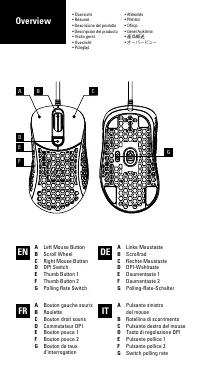
A Left Mouse Button B Scroll Wheel C Right Mouse Button D DPI Switch E Thumb Button 1 F Thumb Button 2 G Polling Rate Switch A Linke Maustaste B Scrollrad C Rechte Maustaste D DPI-Wahltaste E Daumentaste 1 F Daumentaste 2 G Polling-Rate-Schalter A Bouton gauche souris B Roulette C Bouton droit souri...
• Tastenkombinationen• Raccourcis• Combinazione tasti• Atajos• Atalhos• Snelkoppelingen• Skróty • Gyorsbillentyűk • Zástupci • Ярлыки • Kısayollar • 捷徑 • ショートカット 01 02 03 Shortcuts
Botão do polegar 1 + Botão direito do mouse (Aguarde por 3 segundos): Efeito de iluminação Botão do polegar 2 + Botão esquerdo do mouse + Botão direito do mouse (Aguarde por 3 segundos): Trocar de perfil (Perfil 1 Vermelho, Perfil 2 Verde, Perfil 3 Azul, Perfil 4 Amarelo, Perfil 5 Roxo) Botão do pol...