Asus GX601 - Bedienungsanleitung
PC-Gehäuse Asus GX601 – Bedienungsanleitung, kostenlos online im PDF-Format lesen. Wir hoffen, dass dies Ihnen hilft, etwaige Fragen zu klären. Wenn Sie noch Fragen haben, kontaktieren Sie uns bitte über das Kontaktformular.
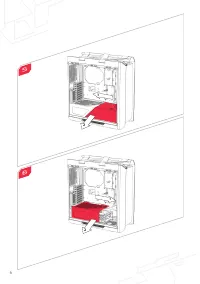
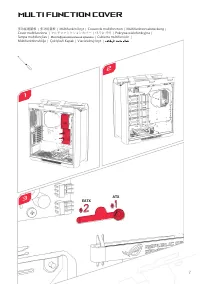
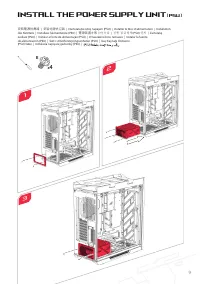
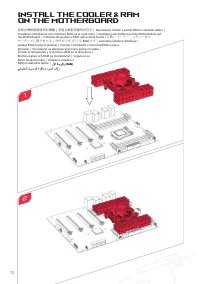

Inhalt:
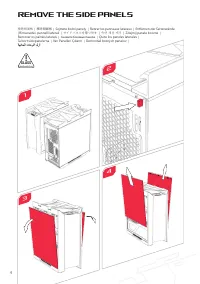
- Seite 3 – Remove the Side Panels
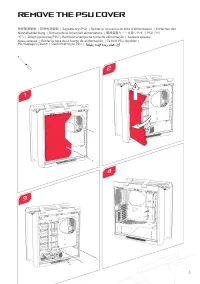
- Seite 4 – Remove the PSU Cover
- Seite 6 – Multi Function Cover
- Seite 7 – Install the Power Supply Unit
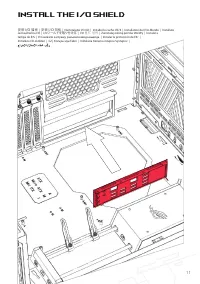
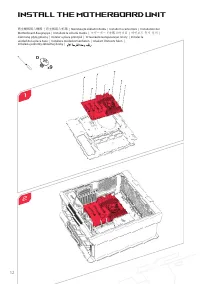
- Seite 10 – Install the Motherboard Unit
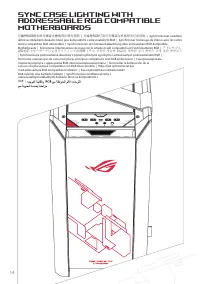
- Seite 12 – Sync Case Lighting With
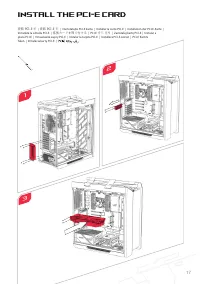
- Seite 13 – Install the PCI-E Card
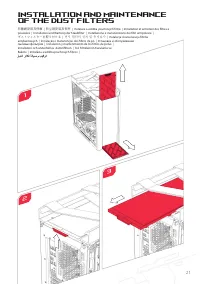
- Seite 17 – Installation and Maintenance
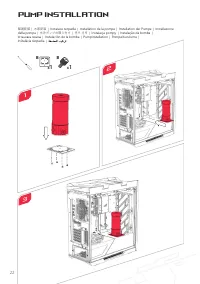
- Seite 18 – Pump Installation
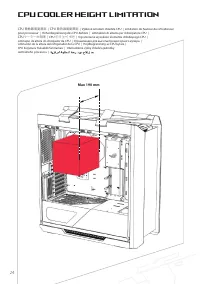
- Seite 20 – CPU Cooler Height Limitation
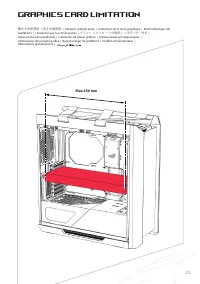
- Seite 21 – Graphics Card Limitation
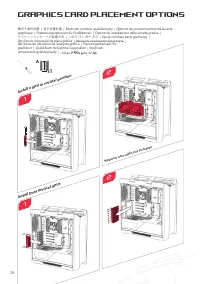
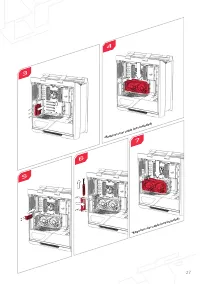
- Seite 22 – Graphics Card Placement Options
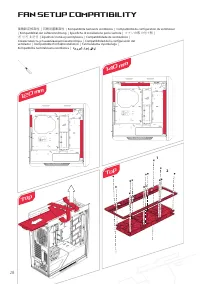
- Seite 24 – Fan Setup Compatibility; Top
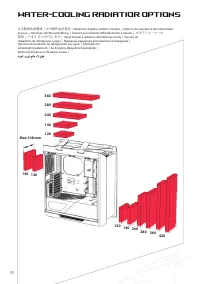
- Seite 25 – Water-cooling Radiatior Options
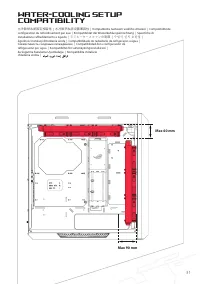
- Seite 26 – Compatibility
- Seite 31 – AEEE Yönetmeliğine Uygundur.
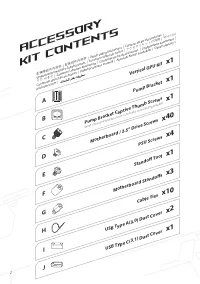
Accessory
Kit Contents
配備零組件內容物
|
配备组件内容物
| Obsah sady př
íslušenst
ví | C
ontenu du k
it d'ac
cessoir
es |
Verpack
ungsinhalt des Z
ubehörsa
tzes | A
ccessor
i con
tenuti nel k
it |
アクセサリキットの内容
|
액세서리
키트 내용물
| Za
wartość z
estawu akc
esorió
w | C
onteúdo do k
it de ac
essór
ios | С
одер
жимое к
омплек
та |
Cont
enido del k
it de ac
cesor
ios |
Tillbehörssa
tsens innehåll | A
ksesuar K
itinin İçindek
iler | Obsah súpr
avy s
príslušenst
vom |
Cable Ties
x10
USB Type A(3.0) Dust Cover
x2
USB Type C(3.1) Dust Cover
x1
Motherboard Standoffs
x3
Standoff Tool
x1
Motherboard / 2.5” Drive Screws
x40
x1
Pump Bracket
x1
Vertical GPU Kit
x1
PSU Screws
x4
A
B
C
D
E
F
G
H
I
J
2
Pump Bracket Captive Thumb Screws
(Note: the pump bracket screw is included on the pump bracket)
„Anleitung wird geladen“ bedeutet, dass Sie warten müssen, bis die Datei vollständig geladen ist und Sie sie online lesen können. Einige Anleitungen sind sehr groß, und die Zeit, bis sie angezeigt wird, hängt von Ihrer Internetgeschwindigkeit ab.
War diese Anleitung hilfreich?
Über diese Anleitung
- Marke
- Asus
- Modell
- GX601
- Dokumenttyp
- Bedienungsanleitung
- Kategorie
- PC-Gehäuse
- Sprache(n)
- Deutsch, Englisch, Spanisch, Französisch, Italienisch, Dutch, Polnisch, Russisch, Swedish
- Seiten
- 31
- Dateigröße
- 3,4 MB
- Format
Zusammenfassung
4 Remove the Side Panels 1 3 移除側面板 | 移除侧面板 | Sejm ě te bo č ní panely | Retirer les panneaux latéraux | Entfernen der Seitenwände | Rimuovete i pannelli laterali | サイドパネルを取り外す | 측면 패널 제거 | Zdejmij panele boczne | Remover os painéis laterais | Снимите боковые панели | Quite los paneles laterales | Ta...
5 Remove the PSU Cover 移除電源遮板 | 移除电源盖板 | Sejm ě te kryt PSU | Retirer le couvercle du bloc d'alimentation | Entfernen der Netzteilabdeckung | Rimuovete la cover dell'alimentatore | 電源装置カバーを取り外す | PSU 커버 제거 | Zdejmij pokryw ę PSU | Remover a tampa da fonte de alimentação | Снимите крышку блока питани...
Multi Function Cover 多功能遮蓋板 | 多功能盖板 | Multifunk č ní kryt | Couvercle multifonction | Multifunktionsabdeckung | Cover multifunzione | マルチファンクションカバー | 다기능 커버 | Pokrywa wielofunkcyjna | Tampa multifunções | Многофункциональная крышка | Cubierta multifunción | Multifunktionshölje | Çok İş levli Kapak |...
Frage stellen
Ähnliche Anleitungen
Andere Asus Geräte
 Asus 27T1E Bedienungsanleitung
 Asus 90YH00Q1 Bedienungsanleitung
 Asus A7U Bedienungsanleitung
 Asus AC66 Anleitung
 Asus AIR Bedienungsanleitung
 Asus AT3IONT-I DELUXE Bedienungsanleitung
 Asus AT4NM10T-I Bedienungsanleitung
 Asus AT5NM10-I Bedienungsanleitung
 Asus BM1AD Bedienungsanleitung
 Asus BT1AD Bedienungsanleitung
 Asus D2X Bedienungsanleitung
 Asus Eee PC 1000HE Bedienungsanleitung
 Asus Eee PC 1005P Bedienungsanleitung
 Asus Eee PC 1008P Bedienungsanleitung
 Asus Eee PC 1201HA Bedienungsanleitung
 Asus Eee PC X101H Bedienungsanleitung
 Asus ET2410IUTS Bedienungsanleitung
 Asus ET2411 Bedienungsanleitung
 Asus F1A55-M LX PLUS Bedienungsanleitung
 Asus F2A55-M LK2 PLUS Bedienungsanleitung