Sharp 2T-C42BG1X - Bedienungsanleitung
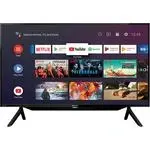
Fernsehgerät Sharp 2T-C42BG1X – Bedienungsanleitung, kostenlos online im PDF-Format lesen. Wir hoffen, dass dies Ihnen hilft, etwaige Fragen zu klären. Wenn Sie noch Fragen haben, kontaktieren Sie uns bitte über das Kontaktformular.

Inhalt:
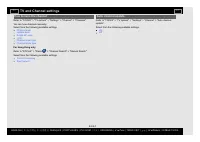
- Seite 3 – How to tune the channel; For Hong Kong only; Auto channel update; Select from the following available settings.; TV and Channel settings
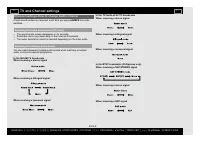
- Seite 4 – Channel settings-How to change Audio channel; If multi sound modes are received, each time you press; Switching the digital audio format (DTV only)
- Seite 5 – USB; Preparation
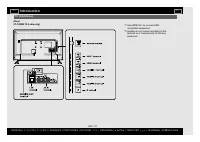
TV (Continue)
(Rear)
2T-C40BG1X (India only)
*1 Use HDMI IN 1 to connect ARC-
compatible equipment.
*2 Usually do not connect anything to this
terminal as it reserved only for service
personnel.
Introduction
EN 1-10
ENGLISH |
) |
) | FRANÇAIS | PORTUGUÊS | РУССКИЙ |
| INDONESIA |
| TIẾNG VIỆT | ﻲﺑرﻋ | АҒЫЛШЫН | O'ZBEK TILIDA
„Anleitung wird geladen“ bedeutet, dass Sie warten müssen, bis die Datei vollständig geladen ist und Sie sie online lesen können. Einige Anleitungen sind sehr groß, und die Zeit, bis sie angezeigt wird, hängt von Ihrer Internetgeschwindigkeit ab.
War diese Anleitung hilfreich?
Über diese Anleitung
- Marke
- Sharp
- Modell
- 2T-C42BG1X
- Dokumenttyp
- Bedienungsanleitung
- Kategorie
- Fernsehgerät
- Sprache(n)
- Deutsch, Englisch, Spanisch, Französisch, Italienisch, Dutch, Polnisch, Russisch, Swedish
- Seiten
- 5
- Dateigröße
- 5,5 MB
- Format
Zusammenfassung
How to tune the channel Refer to "TOOLS" > "TV options" > "Settings" > "Channel" > "Channels". You can tune channels manually. Select from the following available settings. Channel scanUpdate scanSingle RF scanLCNChannel scan typeChannel store type...
Channel settings-How to change Audio channel If multi sound modes are received, each time you press AD/MPX the mode switches. Switching the digital audio format (DTV only) The sound mode screen disappears in six seconds.Selectable items vary depending on the received broadcasts.The audio description...
USB Preparation You can connect the TV to a USB memory device and USB hard drive to enjoy viewing pictures, listening to music, and watching videos. NOTE Depending on the USB memory device/USB hard drive, the TV may not be able to recognise the recorded data.It may take time to read the recorded dat...
Frage stellen
Ähnliche Anleitungen
Weitere Sharp Fernsehgeräte Modelle


Andere Sharp Geräte
 Sharp 902SH Bedienungsanleitung
 Sharp AL-2041 Bedienungsanleitung
 Sharp AL-2051 Bedienungsanleitung
 Sharp AR-5618 Bedienungsanleitung
 Sharp AY-XP12RMR Anleitung
 Sharp BD-HP22S Bedienungsanleitung
 Sharp Calculator EL-1197P Bedienungsanleitung
 Sharp CV-P10PR Bedienungsanleitung
 Sharp EL-233S Bedienungsanleitung
 Sharp EL-243S Bedienungsanleitung
 Sharp EL-334F Anleitung
 Sharp EL-337C Anleitung
 Sharp EL-501W Anleitung
 Sharp EL-501X Anleitung
 Sharp EL-520W Anleitung
 Sharp EL-1197P Anleitung
 Sharp EL-1607P Anleitung
 Sharp EL-1611P Anleitung