Samsung HW-J6000 - Bedienungsanleitung
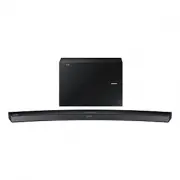
Soundbar Samsung HW-J6000 – Bedienungsanleitung, kostenlos online im PDF-Format lesen. Wir hoffen, dass dies Ihnen hilft, etwaige Fragen zu klären. Wenn Sie noch Fragen haben, kontaktieren Sie uns bitte über das Kontaktformular.


Inhalt:
- Seite 2 – Erleben Sie die Möglichkeiten; Bedienungsanleitung
- Seite 3 – MERKMALE; LIZENZ
- Seite 4 – GER; SICHERHEITSINFORMATIONEN; HINWEISE ZUR SICHERHEIT
- Seite 5 – HINWEISE
- Seite 6 – ERSTE; INHALT
- Seite 7 – LIEFERUMFANG; Symbole in dieser Bedienungsanleitung
- Seite 8 – OBERES / VORDERES BEDIENFELD; Anzeige
- Seite 9 – HINTERES / UNTERES ANSCHLUSSFELD
- Seite 10 – FERNBEDIENUNG
- Seite 11 – BATTERIEN IN DIE FERNBEDIENUNG EINSETZEN
- Seite 12 – INSTALLIEREN DER SOUNDBAR; MONTAGEDER WANDHALTERUNG; Montagehinweise
- Seite 15 – FREIE AUFSTELLUNG DER SOUNDBAR
- Seite 18 – ANSCHLUSS AN EIN FERNSEHGERÄT
- Seite 19 – Verwenden der Bluetooth POWER On Funktion
- Seite 21 – OPTISCHES ODER AUX-KABEL
- Seite 22 – Optisches Kabel; Bevor Sie ein USB-Gerät anschließen
- Seite 24 – EINGANGSMODUS; AUTO POWER DOWN-FUNKTION
- Seite 26 – ABTRENNEN DES BLUETOOTH-GERÄTS VOM SOUNDBAR
- Seite 27 – Mehr über Bluetooth; VERWENDEN DER SAMSUNG AUDIO REMOTE APP; Installieren der Samsung Audio Remote App; Starten der Samsung Audio Remote App
- Seite 28 – SOFTWARE AKTUALISIERUNG
- Seite 29 – FEHLERSUCHE
- Seite 30 – TECHNISCHE DATEN
25
ENG
FUNCTIONS
●
If asked for PIN code when connecting a Bluetooth device, enter <0000>.
●
Only one Bluetooth device can be paired at a time.
●
The Bluetooth connection will be terminated when you turn the Soundbar off.
●
The Soundbar may not perform Bluetooth search or connection correctly under the following
circumstances:
-
If there is a strong electrical field around the Soundbar.
-
If several Bluetooth devices are simultaneously paired with the Soundbar.
-
If the Bluetooth device is turned off, not in place, or malfunctions.
-
Note that such devices as microwave ovens, wireless LAN adaptors, fluorescent lights, and gas stoves
use the same frequency range as the Bluetooth device, which can cause electric interference.
●
The Soundbar supports SBC data (44.1kHz, 48kHz).
●
Connect only to a Bluetooth device that supports the A2DP (AV) function.
●
You cannot connect the Soundbar to a Bluetooth device that supports only the HF (Hands Free) function.
●
Once you have paired the Soundbar to a Bluetooth device, selecting "
[Samsung] Soundbar J-Series
"
from the device's scanned devices list will automatically change the Soundbar to
BT
mode.
●
Available only if the Soundbar is listed among the Bluetooth device’s paired devices. (The Bluetooth device
and the Soundbar must have been previously paired at least once.)
●
Soundbar will appear in the Bluetooth device’s searched devices list only when the Soundbar is displaying
BT READY
.
●
In the TV SoundConnect mode, the Soundbar cannot be paired to another Bluetooth device.
BLUETOOTH POWER ON (BLUETOOTH POWER)
When the Bluetooth POWER On function is on and the Soundbar is turned off, if a previously paired Bluetooth device
tries to pair with the Soundbar, the Soundbar turns on automatically.
1.
Press the
Bluetooth POWER
on the remote while the Soundbar is turned on.
2. ON - BLUETOOTH POWER
appears on the Soundbar's display.
TO DISCONNECT THE BLUETOOTH DEVICE FROM THE
SOUNDBAR
You can disconnect the Bluetooth device from the Soundbar. For instructions, see the Bluetooth device's user manual.
●
The Soundbar will be disconnected.
●
When the Soundbar is disconnected from the Bluetooth device, the Soundbar will display
BT DISCONNECTED
on the front display.
TO DISCONNECT THE SOUNDBAR FROM THE BLUETOOTH
DEVICE
Press the
SOURCE
button on the remote control or the
(Source) button on the product's top panel to switch
from
BT
to another mode or turn off the Soundbar.
●
The connected Bluetooth device will wait a certain amount of time for a response from the Soundbar before
terminating the connection. (Disconnection time may differ, depending on the Bluetooth device)
„Anleitung wird geladen“ bedeutet, dass Sie warten müssen, bis die Datei vollständig geladen ist und Sie sie online lesen können. Einige Anleitungen sind sehr groß, und die Zeit, bis sie angezeigt wird, hängt von Ihrer Internetgeschwindigkeit ab.
War diese Anleitung hilfreich?
Über diese Anleitung
- Marke
- Samsung
- Modell
- HW-J6000
- Dokumenttyp
- Bedienungsanleitung
- Kategorie
- Soundbar
- Sprache(n)
- Deutsch, Englisch, Französisch, Dutch
- Seiten
- 31
- Dateigröße
- 10,2 MB
- Format
Zusammenfassung
Curved Soundbar Erleben Sie die Möglichkeiten Vielen Dank, dass Sie sich für ein Produkt von Samsung entschieden haben. Registrieren Sie Ihr Produkt unter www.samsung.com/register Bedienungsanleitung HW-J6000HW-J6001
2 ERSTE SCHRITTE MERKMALE erste schritte Samsung Remote App Mit der Samsung Audio Remote App haben Sie die Fernbedienung für Ihre Soundbar immer zur Hand. Mit dieser bequemen Anwendung steht Ihnen ein Kontrollzentrum zur Verfügung, mit der Sie Geräte ein- und ausschalten, die Lautstärke und Medien s...
3 GER ERSTE SCHRITTE SICHERHEITSINFORMATIONEN HINWEISE ZUR SICHERHEIT ZUR VERMEIDUNG VON STROMSCHLÄGEN DARF DIESES GERÄT NICHT GEÖFFNET WERDEN. ES ENTHÄLT KEINE BAUTEILE, DIE VOM BENUTZER GEWARTET ODER REPARIERT WERDEN KÖNNEN. WARTUNGS- UND REPARATURARBEITEN DÜRFEN NUR VON FACHPERSONAL AUSGEFÜHRT WE...
Frage stellen
Ähnliche Anleitungen
Beliebte Samsung Soundbars

Weitere Samsung Soundbars Modelle
 Samsung HW-H750 Bedienungsanleitung
 Samsung HW-H751 Bedienungsanleitung
 Samsung HW-J355 Bedienungsanleitung
 Samsung HW-J550 Bedienungsanleitung
 Samsung HW-J551 Bedienungsanleitung
 Samsung HW-J650 Bedienungsanleitung
 Samsung HW-J6000R Bedienungsanleitung
 Samsung HW-J6001R Bedienungsanleitung
 Samsung HW-J6500R Kurzanleitung
 Samsung HW-J8500R Kurzanleitung
 Samsung HW-K430 Kurzanleitung
 Samsung HW-K650 Bedienungsanleitung
- Samsung HW-K651 Bedienungsanleitung
 Samsung HW-LST70T Kurzanleitung
 Samsung HW-M360 Kurzanleitung
 Samsung HW-M450 Kurzanleitung
 Samsung HW-N550 Bedienungsanleitung
 Samsung HW-NW700 Bedienungsanleitung
 Samsung HW-Q60T Bedienungsanleitung