Samsung HW-J650 - Bedienungsanleitung
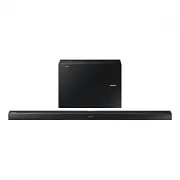
Soundbar Samsung HW-J650 – Bedienungsanleitung, kostenlos online im PDF-Format lesen. Wir hoffen, dass dies Ihnen hilft, etwaige Fragen zu klären. Wenn Sie noch Fragen haben, kontaktieren Sie uns bitte über das Kontaktformular.


Inhalt:
- Seite 7 – Erleben Sie die Möglichkeiten; Bedienungsanleitung
- Seite 8 – MERKMALE; LIZENZ
- Seite 9 – GER; SICHERHEITSINFORMATIONEN; HINWEISE ZUR SICHERHEIT
- Seite 10 – HINWEISE
- Seite 11 – ERSTE SCHRITTE; INHALT
- Seite 12 – LIEFERUMFANG; WICHTIGE INFORMATIONEN ZUM GEBRAUCH DER; Symbole in dieser Bedienungsanleitung
- Seite 13 – OBERES / VORDERES BEDIENFELD
- Seite 14 – HINTERES / UNTERES ANSCHLUSSFELD
- Seite 15 – FERNBEDIENUNG
- Seite 16 – BATTERIEN IN DIE FERNBEDIENUNG EINSETZEN
- Seite 17 – MONTAGEDER WANDHALTERUNG; MONTAGEHINWEISE
- Seite 18 – MONTAGE DER HALTERUNG OHNE ZUHILFENAHME DER
- Seite 20 – ANSCHLIESSEN DES SUBWOOFERS; AUTOMATISCHER VERBINDUNGSAUFBAU MIT DEM
- Seite 22 – ANSCHLUSS AN EIN FERNSEHGERÄT; ANSCHLUSS AN EIN FERNSEHGERÄT MITHILFE EINES
- Seite 23 – ANSCHLUSS AN EIN FERNSEHGERÄT MITHILFE EINES HDMI
- Seite 25 – ANSCHLUSS AN EIN EXTERNES; OPTISCHES ODER AUX-KABEL
- Seite 26 – Bevor Sie ein USB-Gerät anschließen
- Seite 28 – EINGANGSMODUS; AUTO POWER DOWN-FUNKTION
- Seite 29 – ANSCHLIESSEN VON SOUNDBAR AN EIN BLUETOOTH-
- Seite 30 – ABTRENNEN DES BLUETOOTH-GERÄTS VOM SOUNDBAR; ABTRENNEN DES SOUNDBAR VOM BLUETOOTH-GERÄT; Mehr über Bluetooth
- Seite 31 – VERWENDEN DER NETWORK; VERWENDEN VON MULTIROOM LINK; BEVOR SIE BEGINNEN; Grundlagen der Datenübertragung
- Seite 32 – InstallIeren der samsung multIroom anwendung; android oder ios; starten der samsung multiroom anwendung; anschlIessen der soundbar an Ihr netzwerk
- Seite 33 – SOFTWARE AKTUALISIERUNG; AKTUALISIERUNG ÜBER USB; Wenn das UPDATE nicht angezeigt wird
- Seite 35 – FEHLERSUCHE
- Seite 36 – TECHNISCHE DATEN
13
ENG
INSTALLATION
1.
Place
Wall Mount L
on the desired wall surface parallel to the floor as shown above. Mark the location of the
screw holes on the wall. Drill holes for the screws at the places you have marked.
2.
Match the screw holes on Wall Mount L to the screw holes on the wall, and then screw one screw through the hole
in its right end. Tighten the screw until it is firmly fixed to the wall.
3.
Place
Wall Mount R
on the desired wall surface parallel to the floor and aligned with
Wall Mount L
as shown
above. Mark the location of the screw holes on the wall. Drill holes for the screws at the places you have marked.
4.
Match the screw holes on Wall Mount R to the screw holes on the wall, and then screw one screw through the
hole in its right end. Tighten the screw until it is firmly fixed to the wall.
•
If you are mounting the Wall Mounts beneath the TV, make sure to position the mounts 5 or more cm below
the TV and to align the mounts with the centre of the TV as shown above.
5.
Insert screws through the remaining holes, and then tighten.
DETACHING THE WALL MOUNT
1.
Pull the Soundbar upwards as shown in the figure to separate it from the wall mounts.
Detaching the Soundbar from the
Wall Mounts
●
Do not hang onto the installed unit and avoid striking or dropping the unit.
●
Secure the unit firmly to the wall so that it does not fall off. If the unit falls off, it may cause an injury or
damage the product.
●
When the unit is installed on a wall, please make sure that children do not pull any of the connecting
cables, as it may cause it to fall.
●
For the optimal performance of a wall mount installation, install the speaker system at least 5 cm below the
TV, if the TV is mounted on the wall.
●
For your safety, if you do not mount the unit on the wall, install it on a secure, flat surface where it is unlikely
to fall.
„Anleitung wird geladen“ bedeutet, dass Sie warten müssen, bis die Datei vollständig geladen ist und Sie sie online lesen können. Einige Anleitungen sind sehr groß, und die Zeit, bis sie angezeigt wird, hängt von Ihrer Internetgeschwindigkeit ab.
War diese Anleitung hilfreich?
Über diese Anleitung
- Marke
- Samsung
- Modell
- HW-J650
- Dokumenttyp
- Bedienungsanleitung
- Kategorie
- Soundbar
- Sprache(n)
- Deutsch, Englisch, Französisch, Dutch
- Seiten
- 37
- Dateigröße
- 20,4 MB
- Format
Zusammenfassung
Wireless Audio - Soundbar Erleben Sie die Möglichkeiten Vielen Dank, dass Sie sich für ein Produkt von Samsung entschieden haben. Registrieren Sie Ihr Produkt unter www.samsung.com/register Bedienungsanleitung HW-J650 HW-J651
2 ERSTE SCHRITTE MERKMALE erste schritte Musik-Streaming-Dienste Die Soundbar macht das Eintauchen in Ihre Lieblingsmusik, Dank ihrer W-Fi-Fähigkeit einfacher als je zuvor. Verwenden Sie einfach die Samsung Multiroom App, um in den Genuss der besten Abo-Musik- Streaming-Dienste im Internet zu kommen...
3 GER ERSTE SCHRITTE SICHERHEITSINFORMATIONEN HINWEISE ZUR SICHERHEIT ZUR VERMEIDUNG VON STROMSCHLÄGEN DARF DIESES GERÄT NICHT GEÖFFNET WERDEN. ES ENTHÄLT KEINE BAUTEILE, DIE VOM BENUTZER GEWARTET ODER REPARIERT WERDEN KÖNNEN. WARTUNGS- UND REPARATURARBEITEN DÜRFEN NUR VON FACHPERSONAL AUSGEFÜHRT WE...
Frage stellen
Ähnliche Anleitungen
Beliebte Samsung Soundbars

Weitere Samsung Soundbars Modelle
 Samsung HW-H551 Bedienungsanleitung
 Samsung HW-H750 Bedienungsanleitung
 Samsung HW-H751 Bedienungsanleitung
 Samsung HW-J355 Bedienungsanleitung
 Samsung HW-J550 Bedienungsanleitung
 Samsung HW-J551 Bedienungsanleitung
 Samsung HW-J6000 Bedienungsanleitung
 Samsung HW-J6000R Bedienungsanleitung
 Samsung HW-J6001R Bedienungsanleitung
 Samsung HW-J6500R Kurzanleitung
 Samsung HW-J8500R Kurzanleitung
 Samsung HW-K430 Kurzanleitung
 Samsung HW-K650 Bedienungsanleitung
- Samsung HW-K651 Bedienungsanleitung
 Samsung HW-LST70T Kurzanleitung
 Samsung HW-M360 Kurzanleitung
 Samsung HW-M450 Kurzanleitung
 Samsung HW-N550 Bedienungsanleitung
 Samsung HW-NW700 Bedienungsanleitung